Travel Website Templates: Nine Home Page Designs
Each one is a working design on the booking platform, connected to live search, and you can switch without rebuilding your site.

A generic website template gives you a pretty page and leaves booking for you to solve. These designs are the front of a working booking engine, so a search box on any of them returns real results from the suppliers you connect, and a booking reaches your dashboard.
Each design has a different personality. The one that fits best depends on what you sell and who buys it, so try a design with your own logo and photo before you settle.
Key features
Live on the same platform
Search, results, checkout and the dashboard stay the same whichever design you pick.
Your own hero photo
Upload a hero photo on every design except 3D Clouds, which draws its own sky.
Your colours and fonts
Set brand colours in the dashboard, and choose text, heading and Arabic fonts.
Section order is yours
Reorder or hide the home page sections from Pages, Home Page Layout.
Preview before choosing
See a locked design on your own site for one page view. Nothing is saved until you choose it.
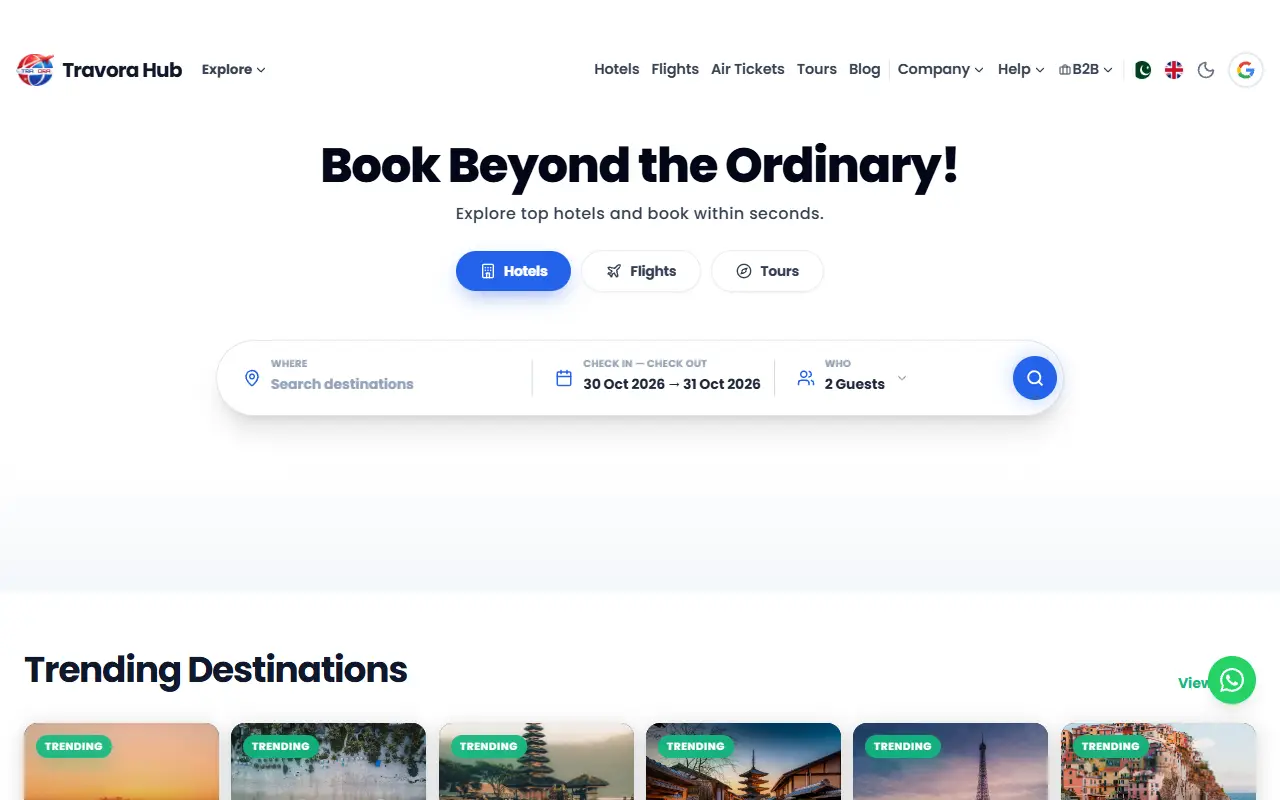
Classic
The original home page, with a centred headline and a rounded search box. It uses all the hero settings, so it can carry your own photo.
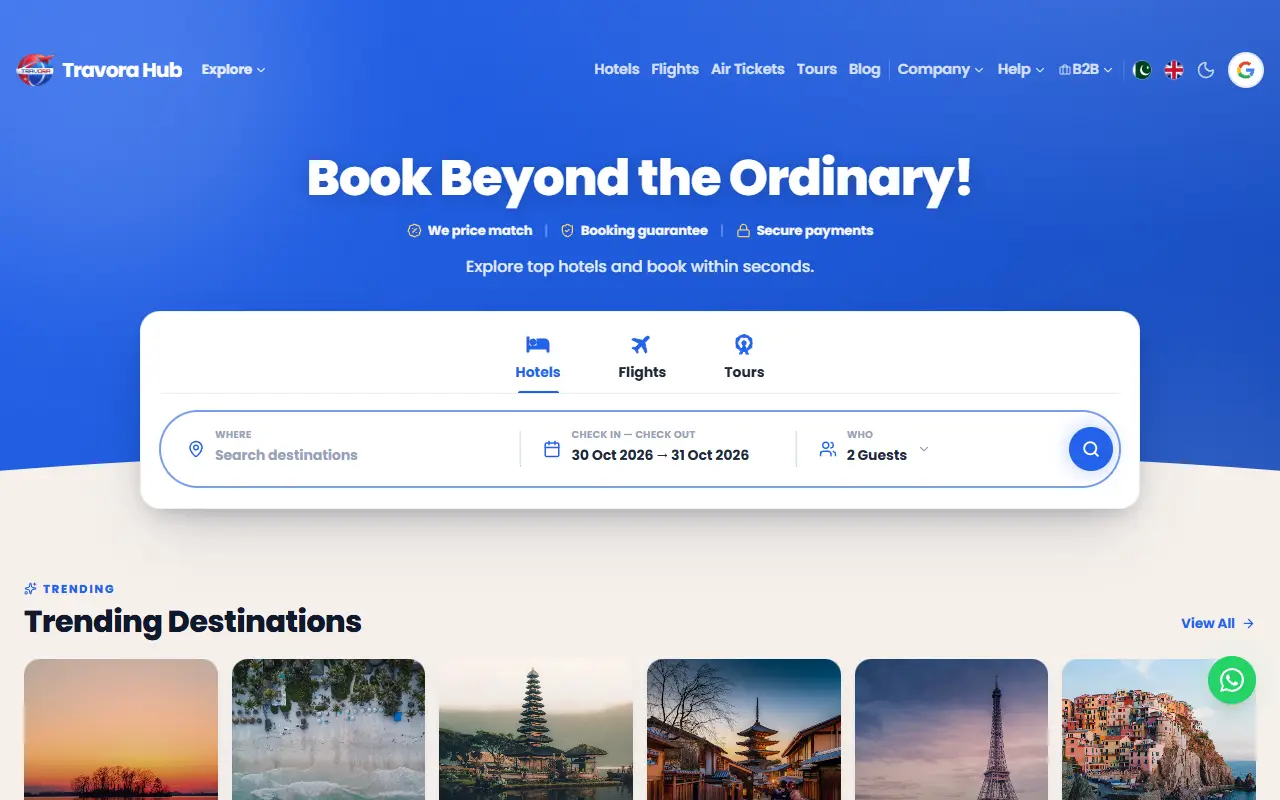
Trip-style
A white page under a coloured banner, with a floating search card and icon tabs.
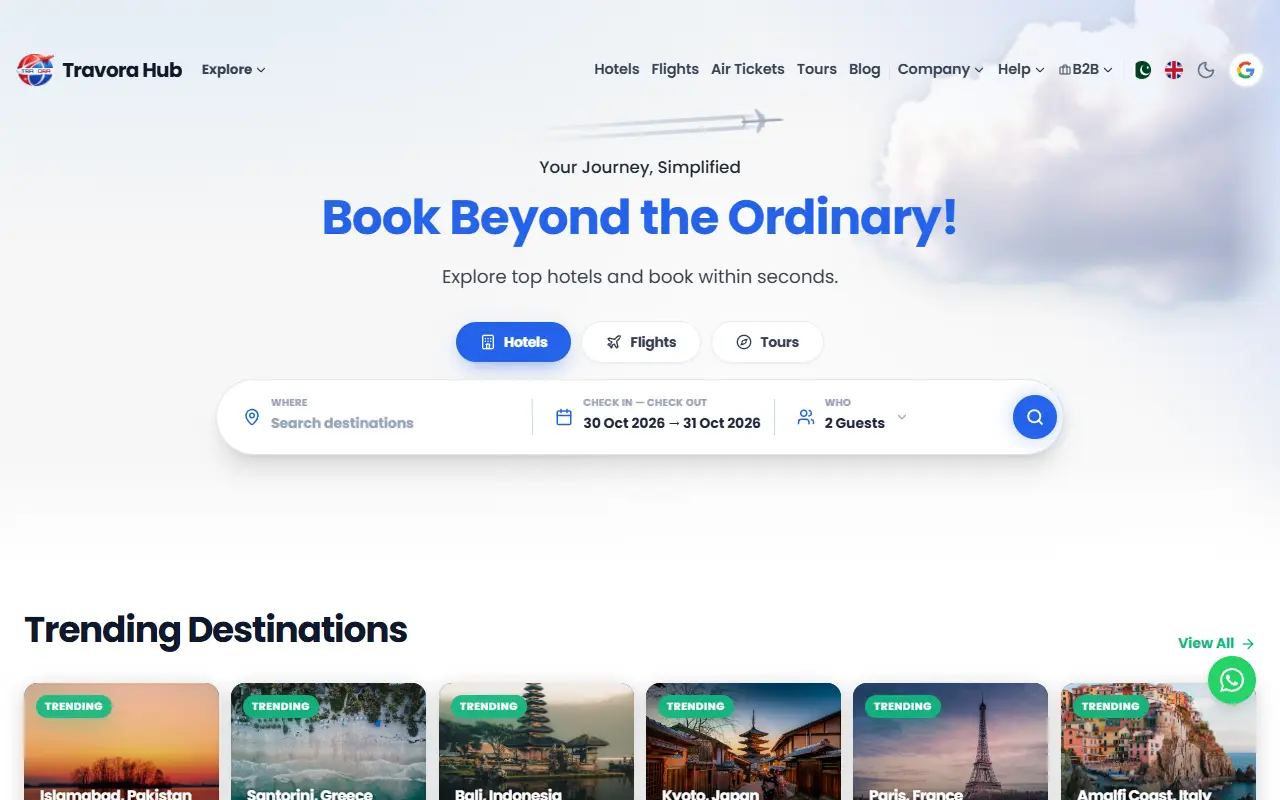
Sky
A soft gradient with slowly drifting clouds, a centred headline and a button. Calm and airy.
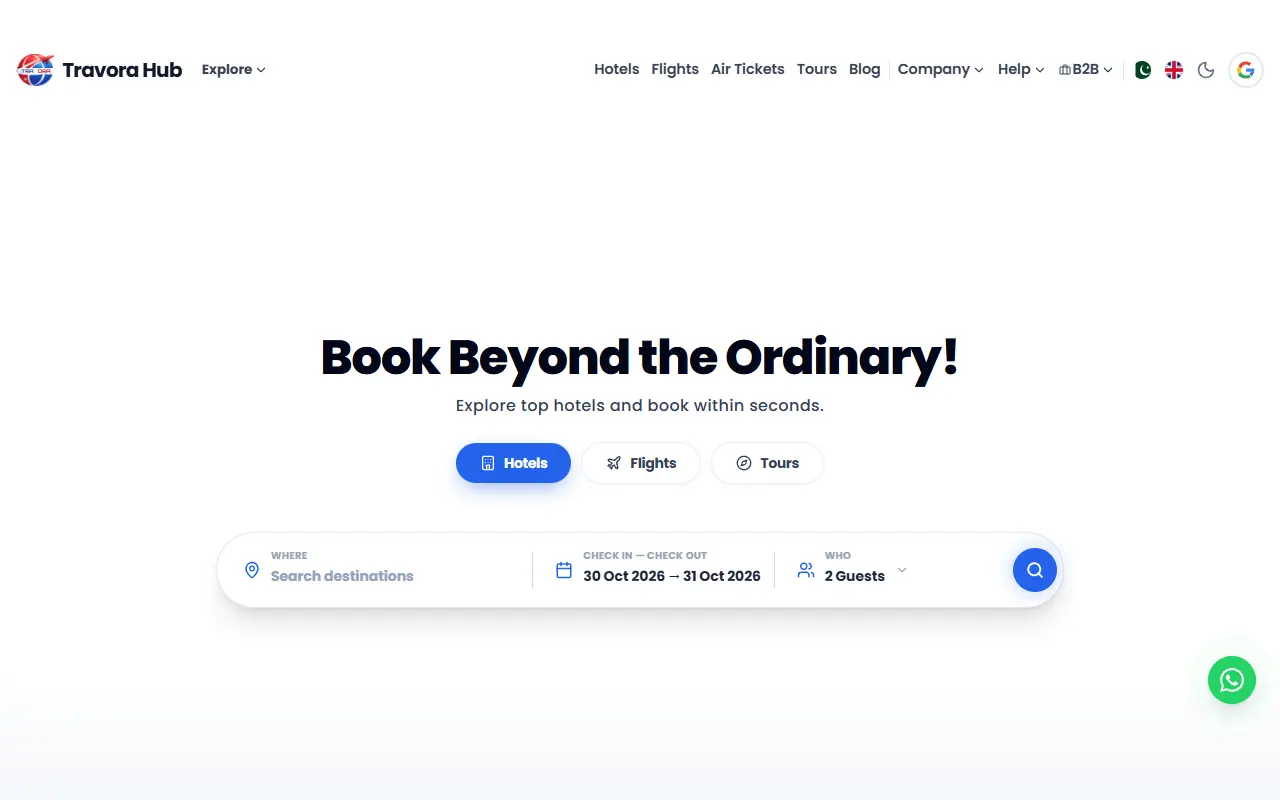
Aurora
A cinematic hero with a tabbed search widget, for agencies with strong destination photography. Shown here before a photo is added.
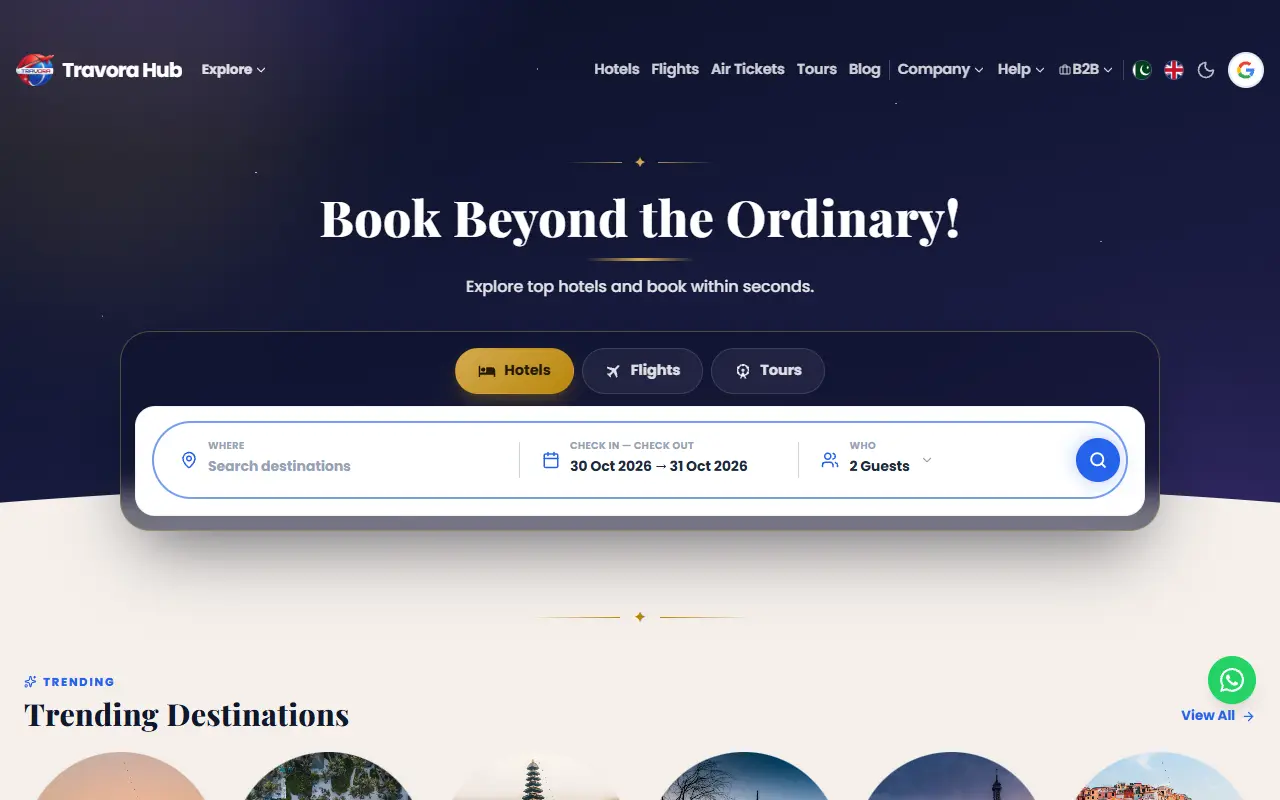
Horizon
Midnight and gold, with a night-sky hero, a golden glow on the horizon, serif headlines and a floating icon-tab search card.
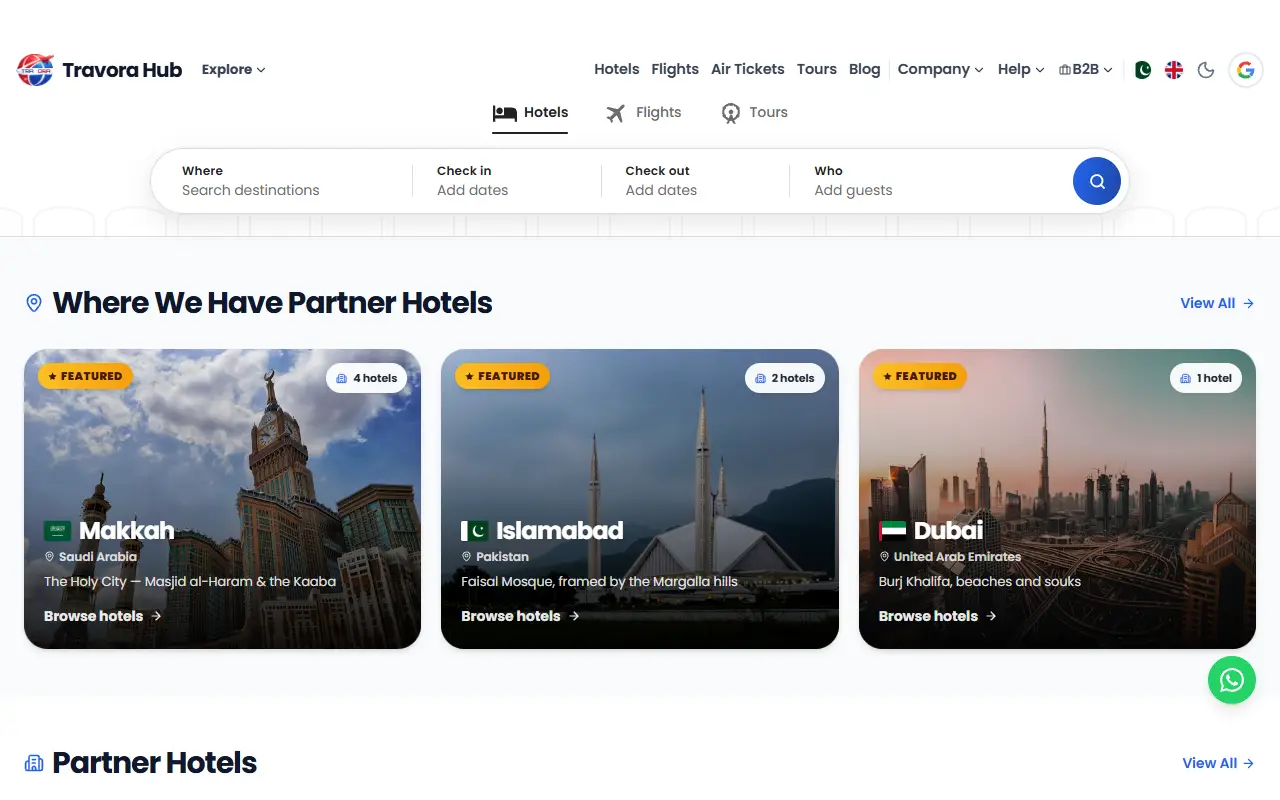
Airbnb-style
A white header and a segmented pill search for where, dates and guests in one rounded bar, with a full-screen search on phones.
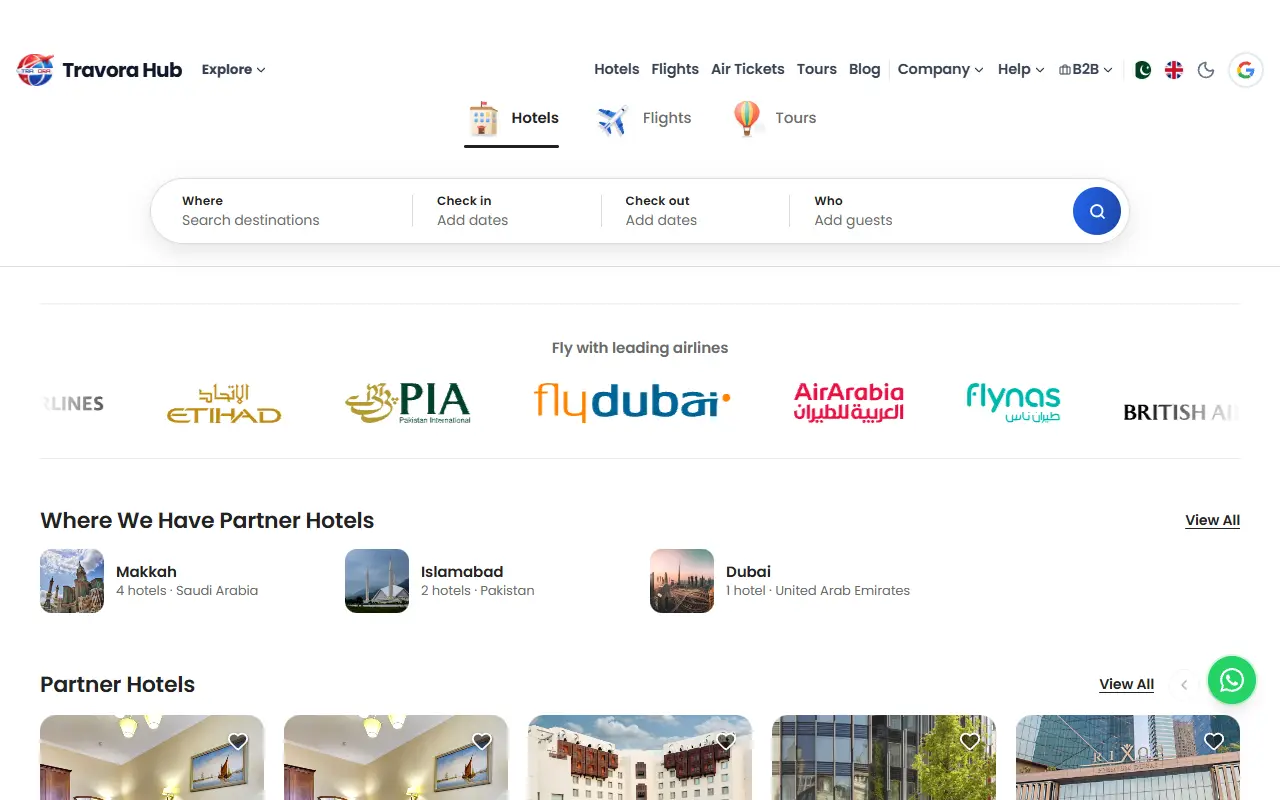
Airbnb Pro
The same pill search, refined, with illustrated Hotel, Flight and Tour tabs, a highlight that slides between fields and calm photo-first listing rows.
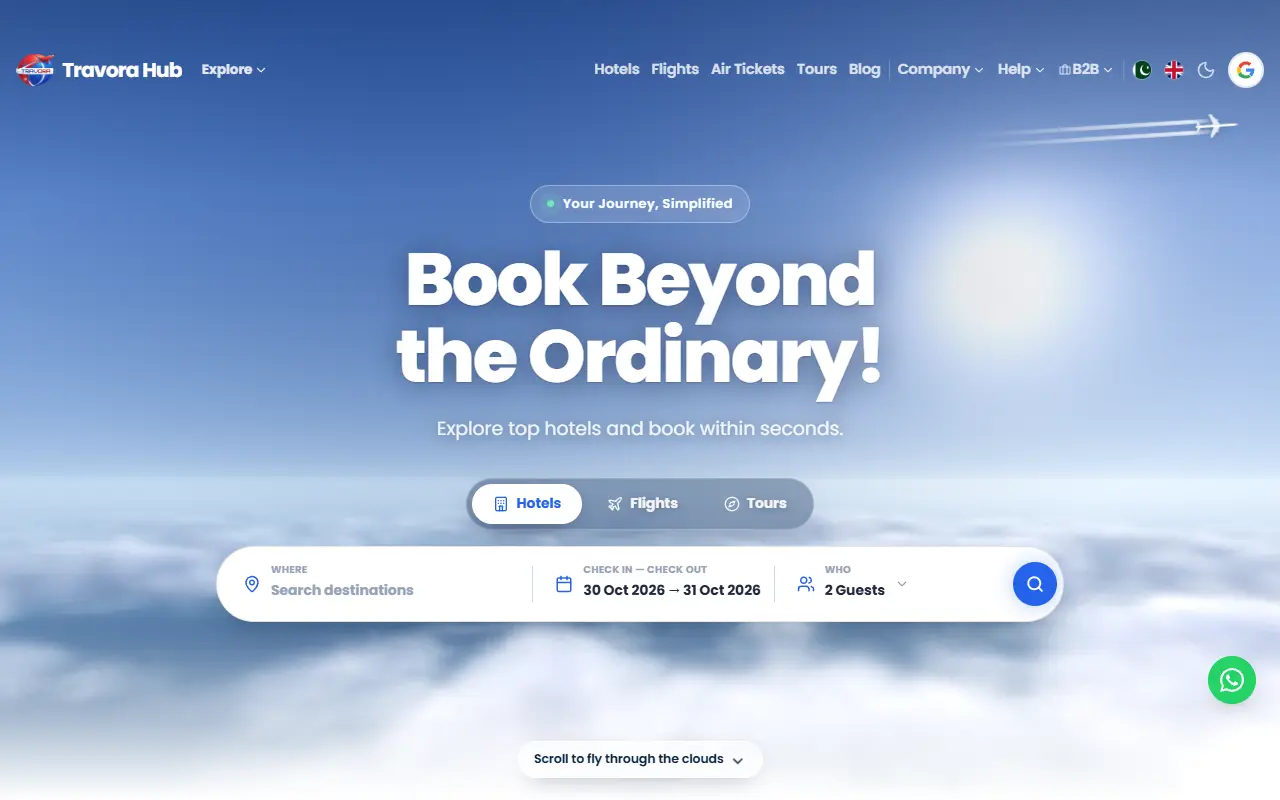
3D Clouds
Realistic 3D clouds rendered live in the browser. Scrolling flies you down through them, with an airliner crossing overhead.
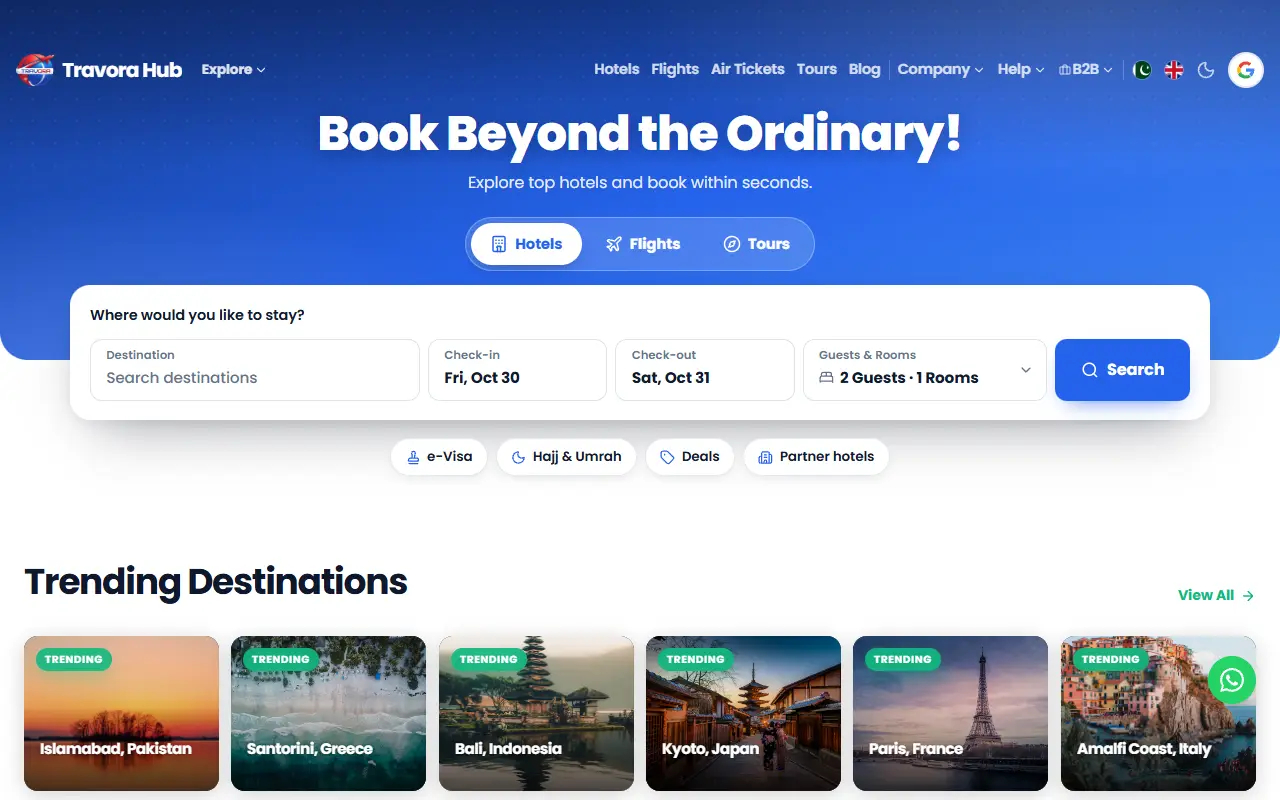
Explorer
Search first, with product tabs over a coloured band and a search card whose fields open into panels, with a two-month calendar and traveller steppers.
Flight results designs
Your flight results page has its own switchable design, chosen separately from the home page.
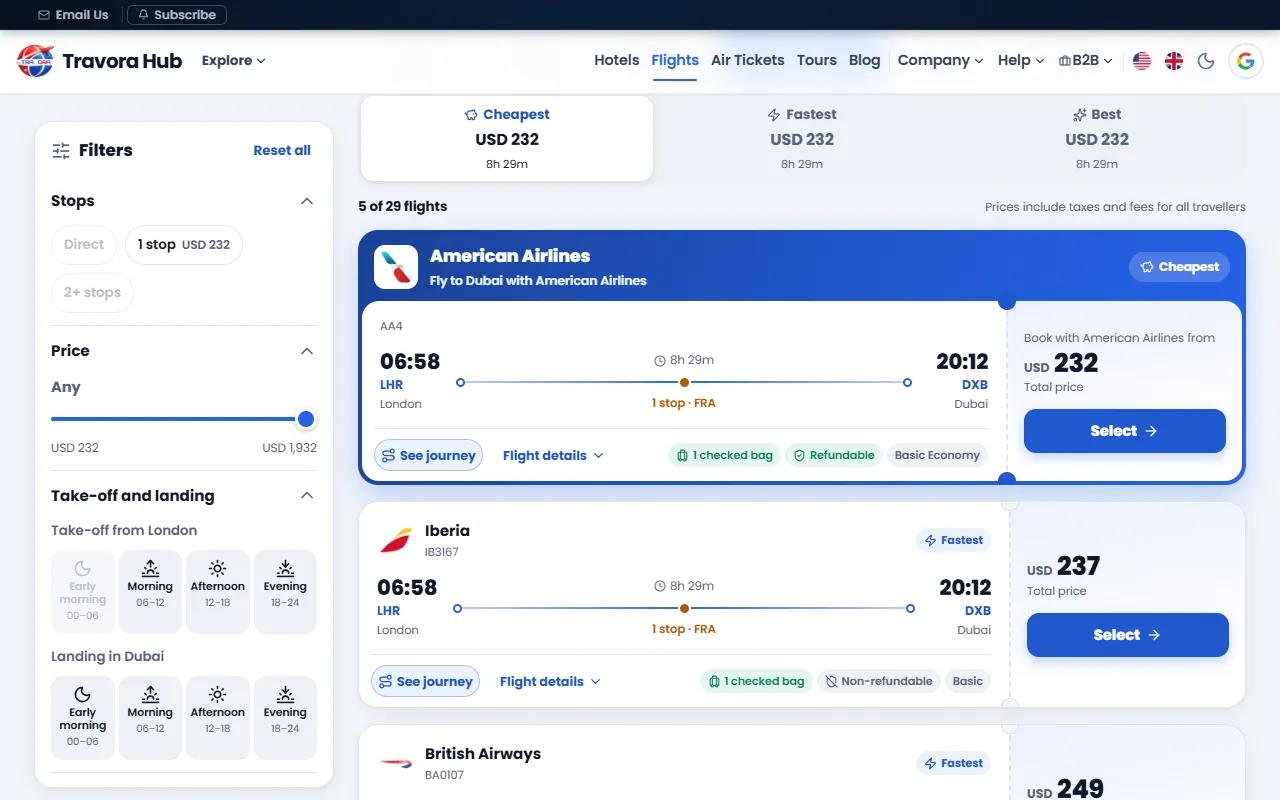
Boarding pass flight results
Filters down the side, a Cheapest, Fastest and Best switch, and each flight as a ticket with its bags, refund terms and fare choices on one line. It takes your brand colours and is switched on from your dashboard. Fares are from a live demo search.
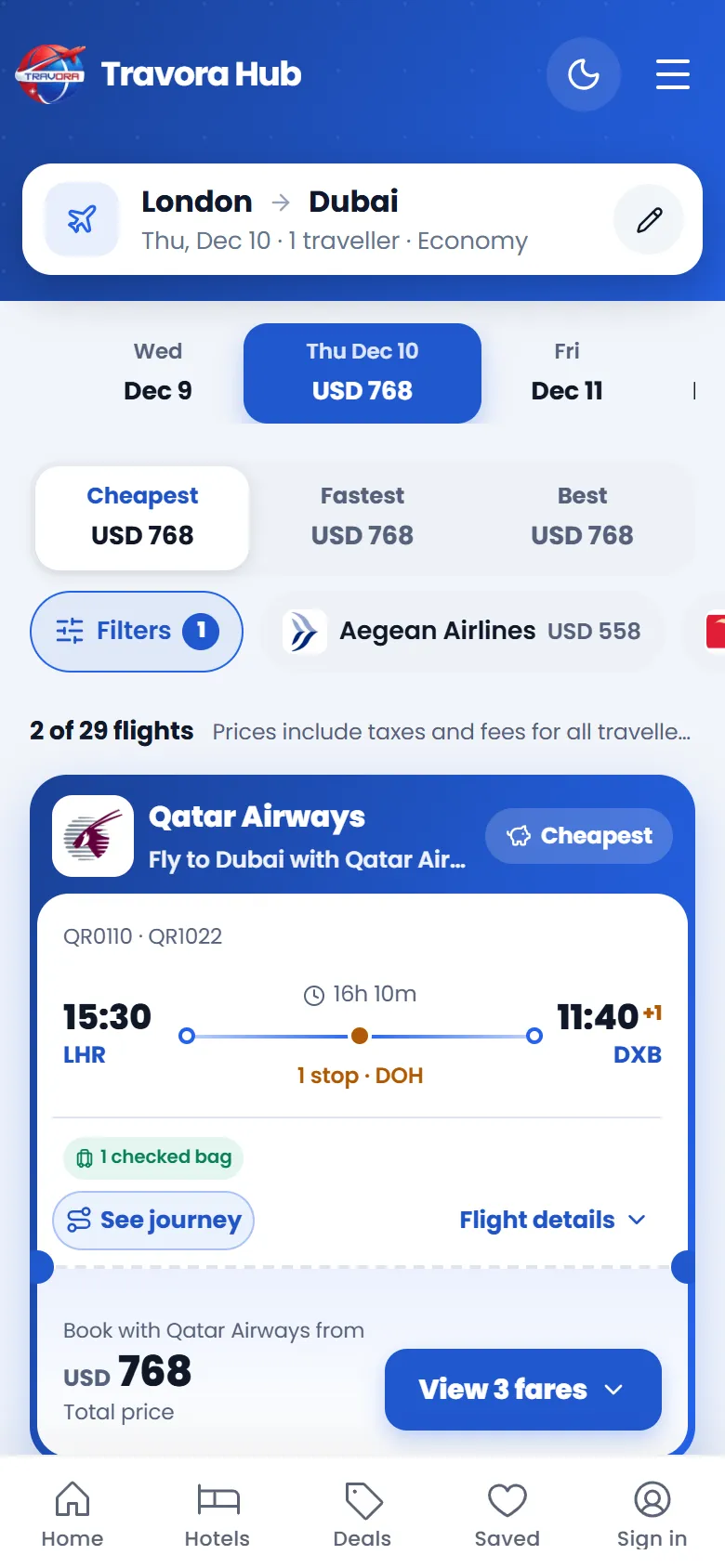
The same results on a phone
A summary of the search, a day strip, the switch, quick filter chips and ticket cards.
Flight app design
A complete flight booking design with its own look, shown here as it runs for an agency selling flights in Iraq, under that agency's name and colours. Fares are examples. It is not one of the standard designs: it is available as custom work, so ask us if you want something like it.
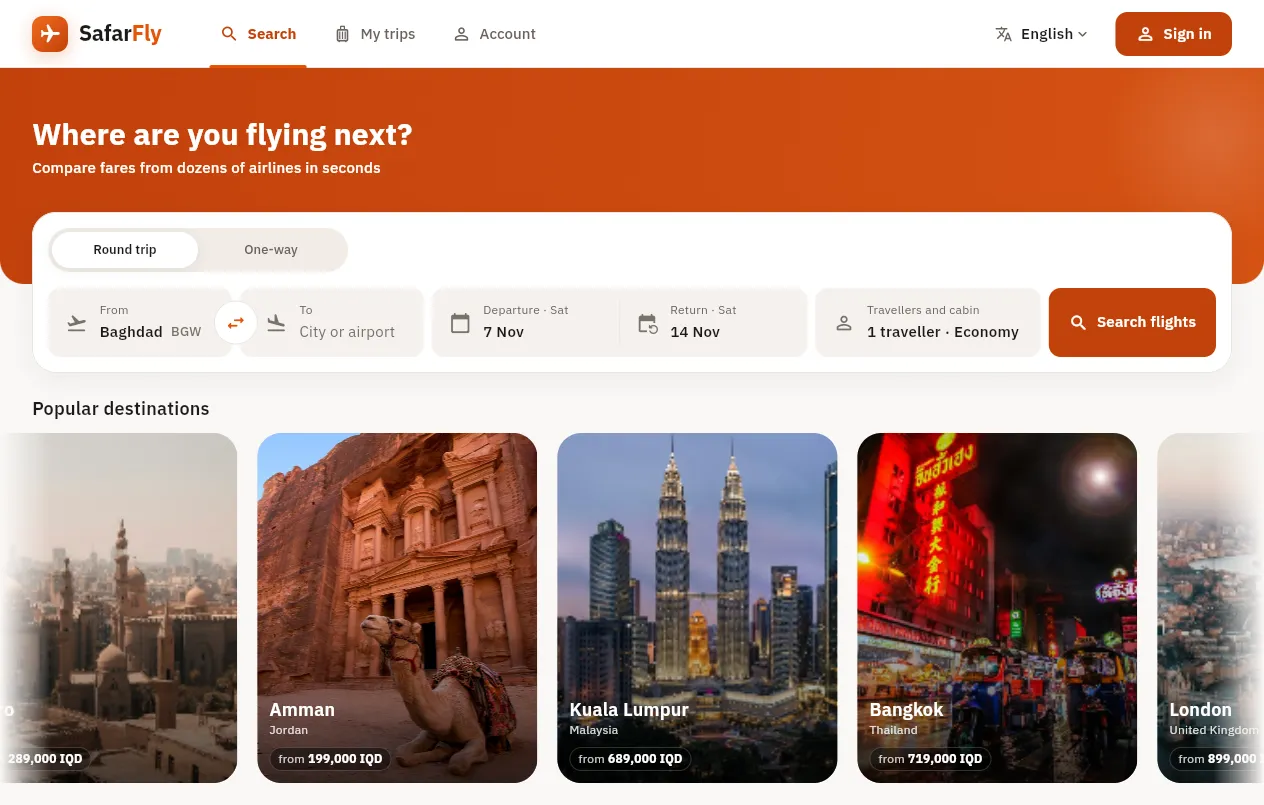
Search
One search bar with airports, dates and travellers, then popular destinations with their starting fares.
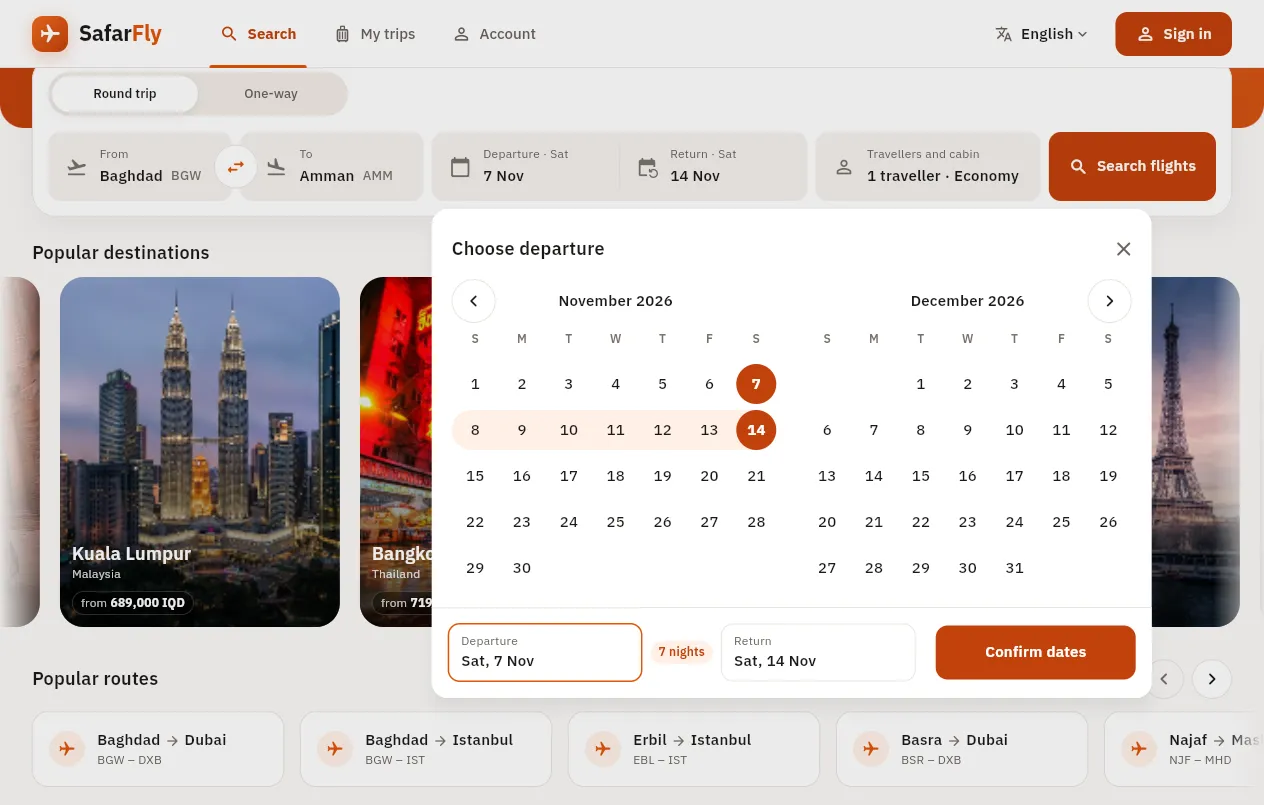
Date picker
Two months side by side, with the stay highlighted and the number of nights counted for you.
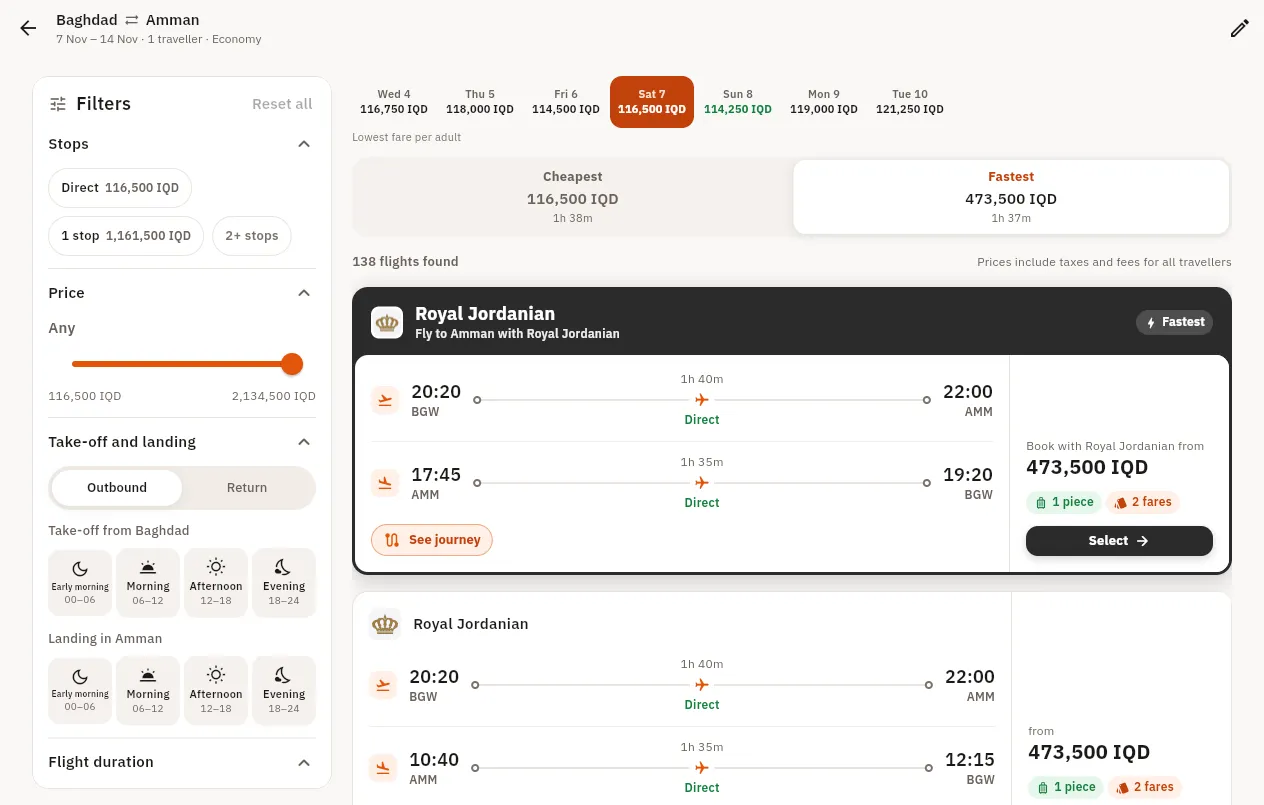
Results and filters
Day-by-day fares, a Cheapest and Fastest switch, and filters for stops, price, take-off and landing times.
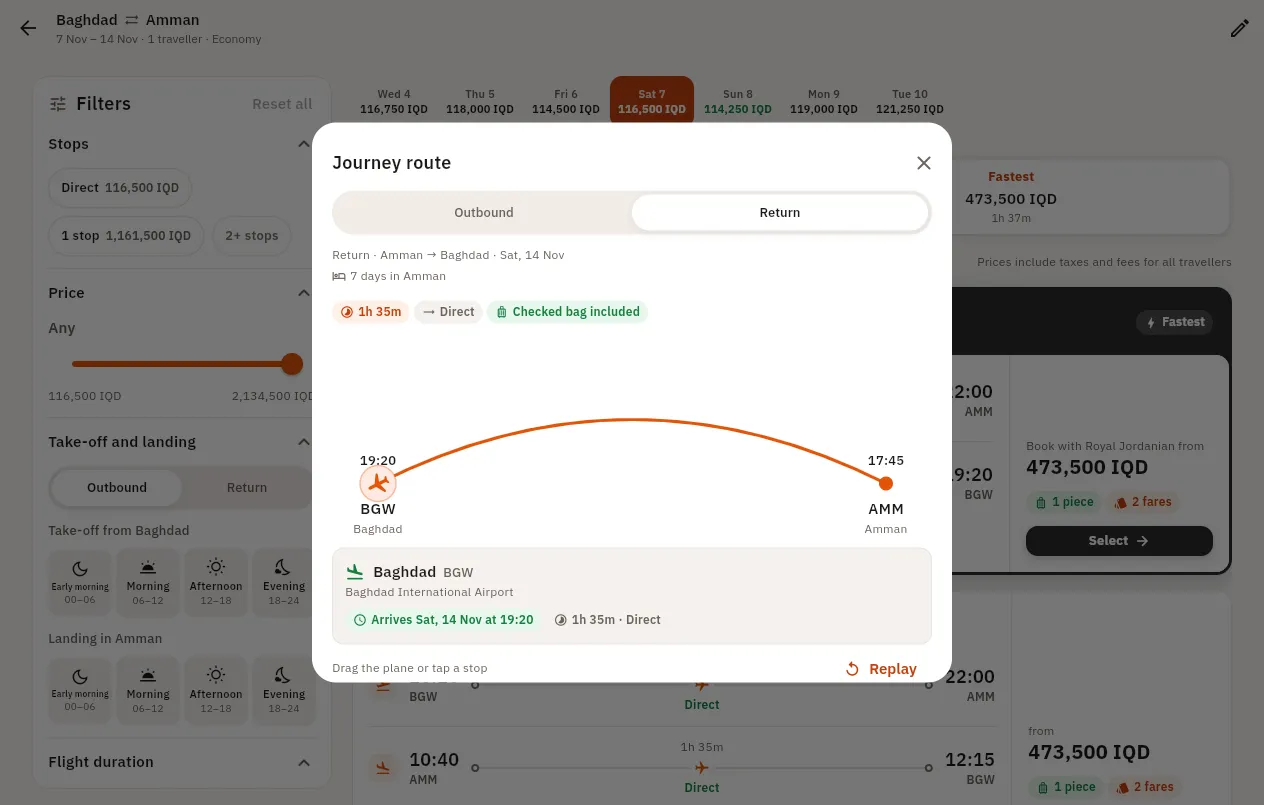
Animated journey route
Each trip drawn as a route, with the plane flying from airport to airport and pausing at any stops.
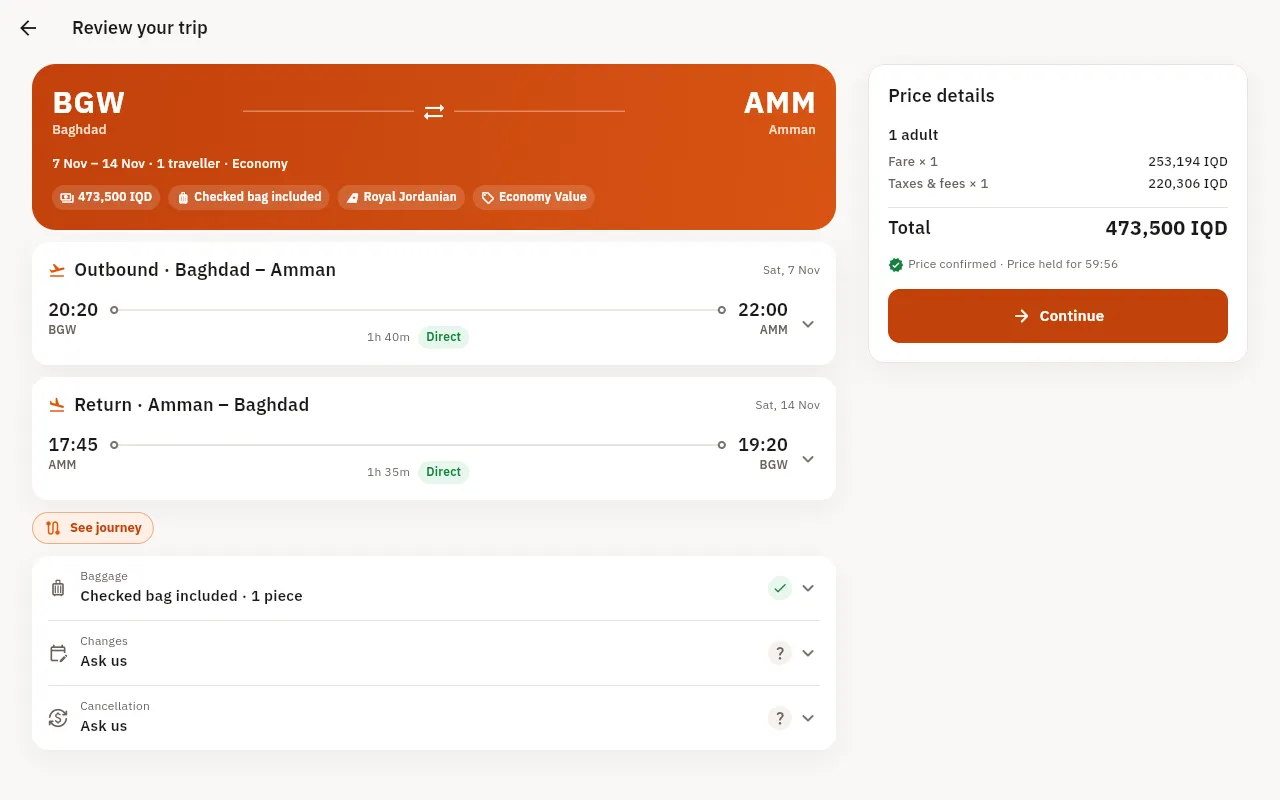
Trip review
Both flights, baggage, change and cancellation terms, and a clear price breakdown before the traveller continues.
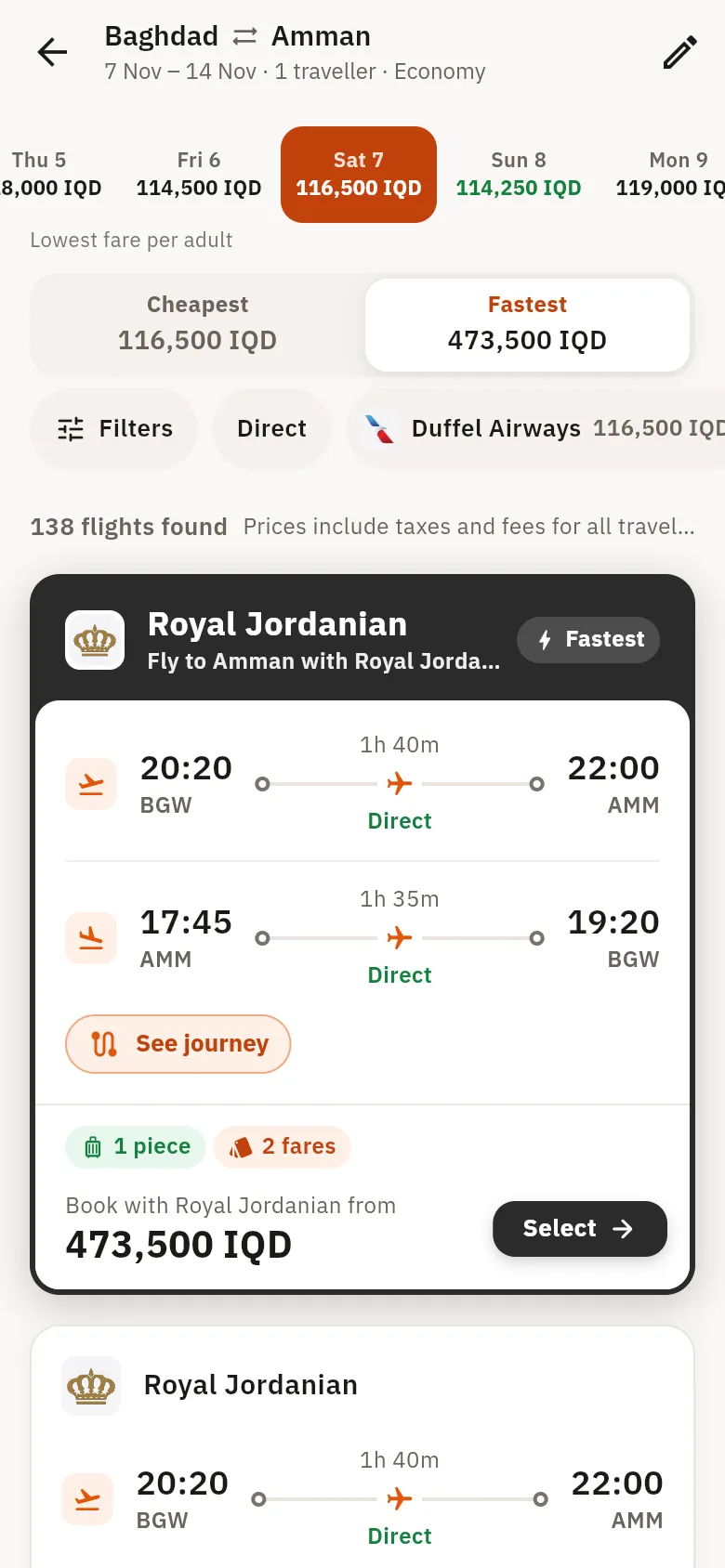
On a phone
The same screens laid out for one hand, with filters and sorting always within reach.
Picking a design
Start with what your customers do first. If most of them arrive to search, a design with a large search card such as Explorer or Trip-style gets them there quickest. If you sell on trust and imagery, such as Umrah or luxury trips, Aurora or Horizon give a strong photo or an atmosphere to carry that message. Agencies with many listings and a younger audience often like the listing rows on Airbnb Pro.
3D Clouds makes the strongest first impression, and it asks the most of a visitor's device, so check it on an older phone before choosing it for a market with slower devices. Sky and Classic are the simplest choices.
What changes with a design, and what stays
The design changes the hero, the search box and the look of the home sections. Your hotels, packages, deals, blog, customers and bookings all stay as they are. Results pages also have switchable styles, chosen separately: a map-based layout for hotels and the Boarding pass layout for flights.
All designs work in the site's languages, including Arabic and Urdu right to left, and all work on phones. Sites open in a light theme by default, and visitors can switch to dark.
Which plan includes which design
Basic includes Classic. Professional includes Classic, Trip-style and Sky. On Demand includes all nine. Other designs can be opened on a single site by arrangement, so ask us if you want one design from a higher plan. A design you already use stays available to you even if plans change later.
A note on the names
Airbnb-style and Trip-style describe a page layout. Travora Hub is not affiliated with Airbnb or Trip.com, and these designs use your brand, your photos and your inventory.
Designs by plan
| Design | Basic | Professional | On Demand |
|---|---|---|---|
| Classic | Yes | Yes | Yes |
| Trip-style | By arrangement | Yes | Yes |
| Sky | By arrangement | Yes | Yes |
| Aurora, Horizon | By arrangement | By arrangement | Yes |
| Airbnb-style, Airbnb Pro | By arrangement | By arrangement | Yes |
| 3D Clouds, Explorer | By arrangement | By arrangement | Yes |
Frequently Asked Questions
Can I change design later?
Yes. Any design your site has access to can be chosen from the dashboard, with no loss of bookings or content.
Can I buy these templates to use on my own website?
No. They are part of the Travora Hub platform and are not sold as separate files or themes.
Can I use a design without the booking engine?
No. Each design is the home page of a booking site, and its search box is connected to the suppliers you add.
Can you make a design just for us?
On the On Demand plan, custom work can be scoped with our developers, including changes to the look of your site.
Do these work on phones?
Yes. Each design has been built and checked for phone screens, and some of them have their own phone layouts for search.
Explore more: Agency Website · White-Label Platform · Live Demo · Create an Agency Website · Pricing & Costs